
AI receptionist and agents for calls, chat, email and tickets
Answer every customer, even when you're busy.
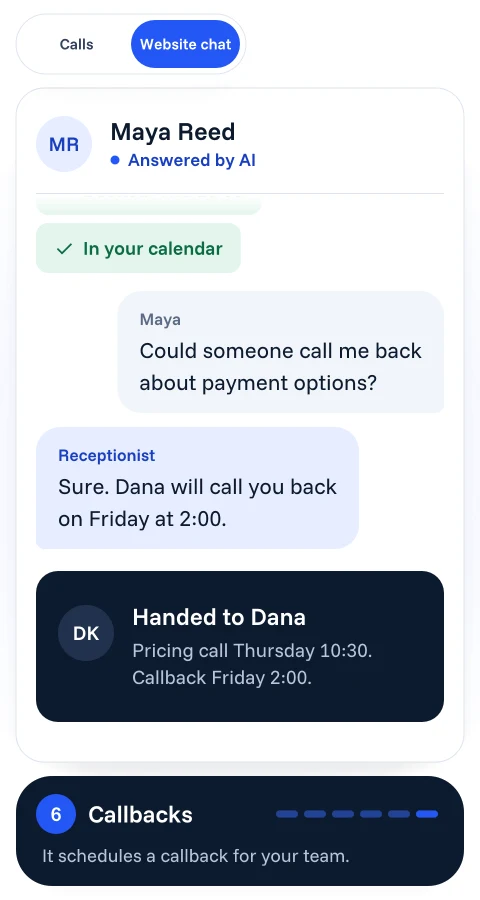
The AI receptionist answers your calls, website chats, emails and support tickets. It greets customers, gives them the information they ask for, books appointments and schedules callbacks. When a person is needed, it transfers the conversation to you, your team or a marketplace agent, with the details. Every call is saved with a transcript and a summary.
Pick your industry, connect your channels and go live in minutes.
Built for restaurants, hotels, ecommerce, home services and every business that can't miss an inquiry.
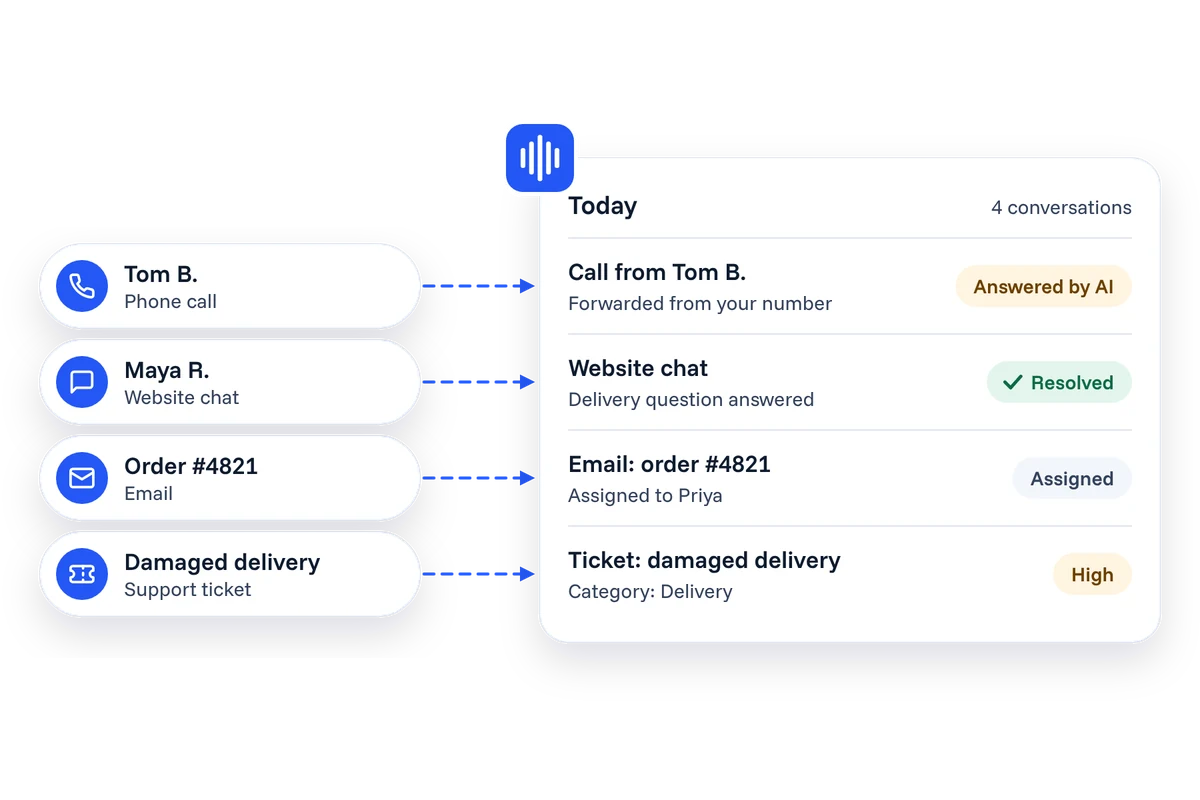
One history for every way customers reach you.
Calls, website chat, business email and support tickets land in one workspace, where the AI and your agents answer them all.
VisitorDo you deliver to Austin, and how long does it take?
ReceptionistYes, we deliver to Austin in 2 to 3 business days. Would you like me to check an order for you?
VisitorI'd like to talk to someone about a bulk order.
Bulk order inquiry. Delivery question already answered.
The AI answers first. People take over when it matters.
Use it as the receptionist for any business. It follows the flow you set, answers from your business information, and transfers calls and chats the way you want.
Welcome
Greets the customer and works out how to help.
Understand
Spots a question, an order, a ticket, an appointment or a request for a person.
Resolve or transfer
Answers, confirms next steps, or transfers the call or chat to you first or to an agent.
Answer given, appointment booked, or ticket created.
You, your team or a marketplace agent, with the conversation so far.
Answers from what you knowUses your products, services, website content and knowledge base.
Books into your calendarIt checks availability, then books, moves and cancels appointments. It schedules callbacks with a time, a number and a reason. Both land in your calendar.
Transfers and assignsTransfers calls and chats to you first or to an agent, with the details, and an agent can transfer to you. Assigns messages and support requests for follow-up.
Your team, plus agents when you need them.
Run every channel with the AI and your own employees, or bring in agents from the marketplace when you need more hands. Everyone works in the same workspace, with the same history.
- Employees and teams
- Schedule your team: shifts by day and hours, repeating weekly.
- Agent marketplace
- Hire marketplace agents: a direct offer or a job post, with their shifts added to your schedule once they start.
- Manage the pool: allowed countries, minimum rating and pay rate, or switch it off.
For businesses
Small business? Keep every channel to the AI and your own team. Busy season? Add marketplace agents.
Book a demoFor agents
Join the agent marketplace. Apply to job posts, accept offers from businesses or take pool work, and choose your hours.
Join as an agentLive in three steps.
Connect your channels, let the receptionist handle routine requests, and bring in people when a conversation needs one.
Set up your business
Choose an industry template, add your services, hours and business information, then connect your channels.
Automate routine requests
The receptionist answers common questions, captures leads, books appointments and creates support requests.
Bring in the right person
Requests that need a human go to your team or marketplace agents, with the details ready for follow-up.
Start from a setup made for your business.
Industry templates give the receptionist a working conversation flow on day one. Tailor it from there.
- General businessA front desk for any business
- RestaurantsAnswers questions and takes booking requests
- HotelsTakes reservations and answers guest questions
- Retail storesAnswers product and opening-hours questions
- EcommerceHandles order-status questions and tickets
- ServicesCaptures jobs and books visits
- Cleaning servicesTakes quote requests and books visits
- Property servicesCaptures inquiries and viewing requests
- Shipment and deliveryAnswers delivery questions and logs issues
- Car dealershipsCaptures leads and books test drives
- Small officesAnswers, takes messages and transfers calls
Works with the tools you already use.
Connect your store and your website, so the receptionist answers from your own, up-to-date information.
Pay for what you use.
See included usage, rates and costs before you start.
Prepaid credits
Top up as you need. Suits seasonal or unpredictable volume.
- Top up any time
- Rates shown before you buy
Usage packages
Pick the option that fits your operation. Suits steady volume.
- Included usage shown up front
- Choose the size that fits
You stay in control of every conversation.
The receptionist answers from your products, services, website and knowledge base.
You set how it greets, what it handles and when it hands over.
Each conversation keeps its transcript, summary and next step, so anyone on your team can pick it up.
Transfer any call or chat to you, your team or a marketplace agent.
Questions, answered.
Can't find yours? Ask the receptionist.
What does the AI receptionist do?
It works as the receptionist for any business, answering your calls, website chats, emails and support tickets from your business information. It greets customers, gives them the information they ask for, books appointments and schedules callbacks in your calendar. When a person is needed, it transfers the conversation to you, your team or a marketplace agent, with the details. Every call is saved with a transcript and a summary.
Which channels does BCS Platform cover?
Phone calls (local numbers, browser-based answering, queues, business hours and call recording), website chat, business email and support tickets, all in one history.
Can I keep my own phone number?
Yes. Set your phone line to forward the calls you don't answer to your BCS Platform number. From there everything works as usual: the receptionist, your answer order, your team and marketplace agents.
How does the hand-off to a person work?
The receptionist follows the flow you set. When a call or chat needs a person, it transfers it to you first or to an agent, with the details already collected, so the customer doesn't repeat themselves. An agent can also transfer it to you.
Can it be just the AI and my own employees?
Yes. Keep any number, website, mailbox or ticket category to the AI receptionist and your own employees, schedule their shifts, and leave the pool off. Add marketplace agents only if you want them.
What is the agent marketplace?
Where you find agents when you need more hands. Hire marketplace agents with a direct offer or a job post, with their shifts added to your schedule once they start. Or share work with the pool: choose the allowed countries, a minimum rating and your pay rate, or switch it off. They work in the same workspace as your team.
Is there a calendar?
Yes. Appointments the AI or your team book, move or cancel land in your calendar, along with callbacks, each with a time and who will call, and your team's shifts.
How much does it cost?
Choose prepaid credits or a usage package. You see included usage, rates and costs before you start, and can review usage and costs any time.
Which tools does it work with?
Shopify, WooCommerce, Magento, Wix, Squarespace and WordPress. You choose what to connect, and you control the data.
How long does setup take?
Pick your industry, connect your channels and add your business information. Most of the work is done by the industry template, so you can go live in minutes.
Let the receptionist take your next call.
Pick your industry, connect your channels, and bring in your team or marketplace agents as you need them.